Saturday, January 20, 2018

How I'm Using OneNote


Technology is overwhelming at times. If you are like me, you hear/see/explore all these really wonderful ideas. When you sit down to implement them into your classroom, the overwhelming feelings swell up. Instead of spending time getting bogged down in all of those overwhelming feelings, I decided to focus on one thing. Just one... This year my focus is incorporating OneNote into my classroom.

Just before my winter break, I attempted to test run a class notebook with a few students. Some of my PreAP students overheard and wanted to try it too. So I thought why not jump in and try it out completely. We tested out a few things, but didn't delve into it 100%. I set up my class notebooks to reflect my student's classroom binders.  We talked about the Content Library and how that was like my filing cabinet. The students could look at it, but not touch. It took a little time for the students to make sure they were accessing documents from their own folders and not trying to type on mine.After coming back from winter break, I decided that I was going to really try to utilize OneNote in my classroom.

What's in our notebooks?
  • Bellringers - Weekly journal writing bellringers
  • Reader's Notebook - I incorporate ReadWorks passages and NewsELA articles in the notebooks. 
  • Mentor Texts - I'm not sure if I'll use this section next year. I think I'll combine this into my reader's notebook next year
  • Writer's Notebook - Student's writing assignments are located here
  • Stems - Greek and Latin roots
  • Reference - Documents I want them to be able to have for reference
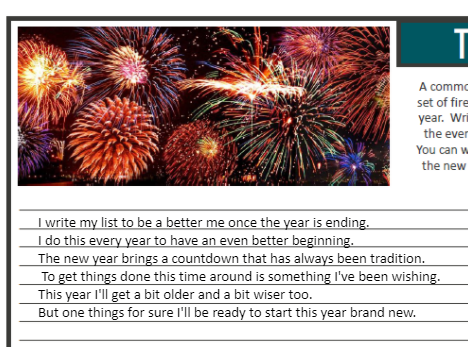
  • Portfolio - Right now it's bare except our 2018 resolution activities
I'm not sure if this is what I'll keep in my class notebooks in the future. I like that I've had the opportunity to try some things out and see what works and what doesn't. I will say that this has helped me think about how to streamline my binders in my classroom. Sometimes less is more, and I'm seeing that with the OneNote class notebooks. It's interesting how the perspective changes when you can visually see the paper trail.  You start to question what's important to keep or use and what's not. 

OneNote Testimonial

I have a student this year who really struggles to write. He doesn't like to write. When I sit and work with him one on one, it's almost like he's in pain trying to write. He struggles to get started. In the beginning of the year, I'd get pages turned in blank. When I'd ask him about the assignment, he'd shut down completely. 

Last week we had a free write. I've been working with my students to spend some time writing down their thoughts, even if it's ugly. They've been building up their writing stamina. This is a sample of his writing. 

It may seem rough around the edges, but I'm so happy that he's finally writing. It gives me something to work with. It gives me a starting point to help him write better. I call this a triumphant moment! He's writing. He's writing because he likes the computer and using OneNote has him writing. That's enough to encourage me to continue to  use the program in my classroom. It will allow me the chance to refine my practices as an educator. My students are eager to try it and that's motivation enough for me.

Samples


I can't wait to see what the rest of the school year holds as I continue to explore all that OneNote has to offer. 


Friday, January 19, 2018

Techie Teacher Reflection


Before I begin with my current technology goal, I felt it was necessary to give some background knowledge. I'm no stranger to technology. I grew up in a home where it we had a desktop computer available. Mind you it was Windows 98 if that gives you a perspective of time. My father worked in the elevator industry. He worked with technology in his career. He was always encouraging me to embrace technology as it would become my world.

When I was twelve years old, I didn't really think on a global scale. I understood the use of the world wide web, but didn't see the future of collaboration around the world. I became more comfortable with technology as I continued to grow up with it. I remember learning to type on an electric typewriter in my high school typing class. We were the fortunate group that experienced the change over from typewriters to computers. I remember typing final drafts of writing assignments on old Mac computers.

As I entered college in the fall of 1999, I remember taking my first Educational Technology (Edtech) course. I excelled in that course. I was no stranger to technology, and that was my opportunity to grow my use of technology into a professional usage for my future career. I loved everything about that course. I remember learning about PowerPoint really for the first time. Oh the possibilities were endless when new technology was introduced to me.

During my student teaching semester in the spring of 2004, I was fortunate to student teach with a remarkable teacher. He was definitely a fan of technology. He had several computers in his classroom, a projector, digital cameras, etc... He even had a computer for me to use as a student teacher. I felt like the power of the world was at my fingertips. Mr. E challenged me to grow myself as a teacher. He encouraged my constant use of technology and showed me how to refine it in my lessons to be more applicable than just "using technology for the sake of using it". He even had me facilitate an interdisciplinary unit with the other teachers and our students in the computer lab. I was very comfortable with the use of technology. I learned how to troubleshoot through the problems on days technology didn't seem so great. I didn't allow it to frustrate me. Thus began my love for technology in the classroom. I liked how much the kids were excited about using it. They struggled with it, but loved the lessons that promoted technology usage. I decided at that point that I wanted to be an ITEC teacher (a district technology leader) and to obtain my Master's degree in Educational Technology.

I went back to school in the fall of 2006 to begin working on my Master's degree. I was teaching at the middle school I grew up in. At that time I was teaching math. I felt that if I could incorporate technology usage in the math classroom, I could do it anywhere. As I moved through my coursework, I built lessons that I would incorporate in my very classroom. I didn't have quite the amount of technology I wanted, but I was working on writing grants to obtain it. I'm happy to say that I eventually became an ITEC teacher and obtained a 1:1 classroom with ipads. I worked very hard for that classroom environment. I received my Master's Degree in Educational Technology in the spring of 2008.

Being an ITEC teacher was one of the highlights of my time teaching in the Calcasieu Parish School District in Louisiana. The professional development obtained through the ITEC grant kept me abreast of technology. We were given technology devices or access to different programs to stay innovated and continue being technology leaders in the district. I remember those professional development days were among my favorite to attend. I couldn't wait to see what the new technology was going to be presented to us. I couldn't wait to brainstorm with my colleagues and see what new challenges I could bring to my students. The technology facilitators were always patient, knowledgeable, and willing to brainstorm and grow me as a professional. Even now being a state away from them, I still find that I reach out to them when I need to brainstorm an idea.

Now, I find myself in Texas. After twelve years of experience, I felt like a brand new teacher all over again. Thankfully, I teach at a school that's similar in size to the one I moved from. While there are many similarities, there are quite a few differences as well. This district is a 1:1 district with laptops. It was like I hit a goldmine. I was sad to have left my technology behind. I had worked so hard for it. I wrote many grants and invested the time to implement it into my classroom. I didn't know how to teach without it. After reflecting on my first year in Texas, I realized I didn't implement technology into the classroom like I wanted to.

My professional goal this school year was to really work at incorporating the technology into my classroom. My school is 1:1 with students having laptops. We have a few students who have opted out of the technology usage, but the majority of them have the laptops. This being my second year in the district, it was time to utilize my technology expertise in my classroom.  It can also be an extremely overwhelming tool. There are so many options, its hard to decide where to begin. It's time that I grow myself in the area of technology and grow my students as well.


Friday, January 12, 2018

Time to kick it up a notch!

I'm an avid technology user. My students have a district issued device at their disposal. It's time to kick it up a notch and really start using technology. I really want to try to go more paperless. It's tough making all the copies, especially if I change my mind on a project. My students have so much technology at their fingertips. It's time to dig in and incorporate it into my classroom.

Things we can use:

  • Microsoft Office 365 (Word, PowerPoint, Excel, Sway, Forms, OneNote)
  • It'sLearning
Between these two platforms, we should be able to use technology on a daily basis. That's one of my goals this school year. I want to use the technology on a more frequent basis and not just for some special lesson or occasion. I've dabbled with incorporating many different things this year. This is my year to test out what works and doesn't work for me. 

Many of the things I make can be incorporated into It'sLearning. I find that using OneNote is a bit easier. Maybe I can utilize the assessment feature and assignment feature of It'sLearning. I know there's a plagerism check that should be helpful, especially teaching ELA. It would be great if this platform worked alongside our gradebook platform. 

I plan to work to try to incorporate different things for my students this year. I really want them to become more tech savvy and that technology will have a purpose in my classroom. Plus technology is one of my favorite things to tinker with. I feel like it keeps me sharp and allows me a place to find success, especially if I'm struggling with other things. It'll be interesting to see how far I've come with technology as I reflect at the end of the year. 

Thursday, January 11, 2018

Caution: Triage Alert

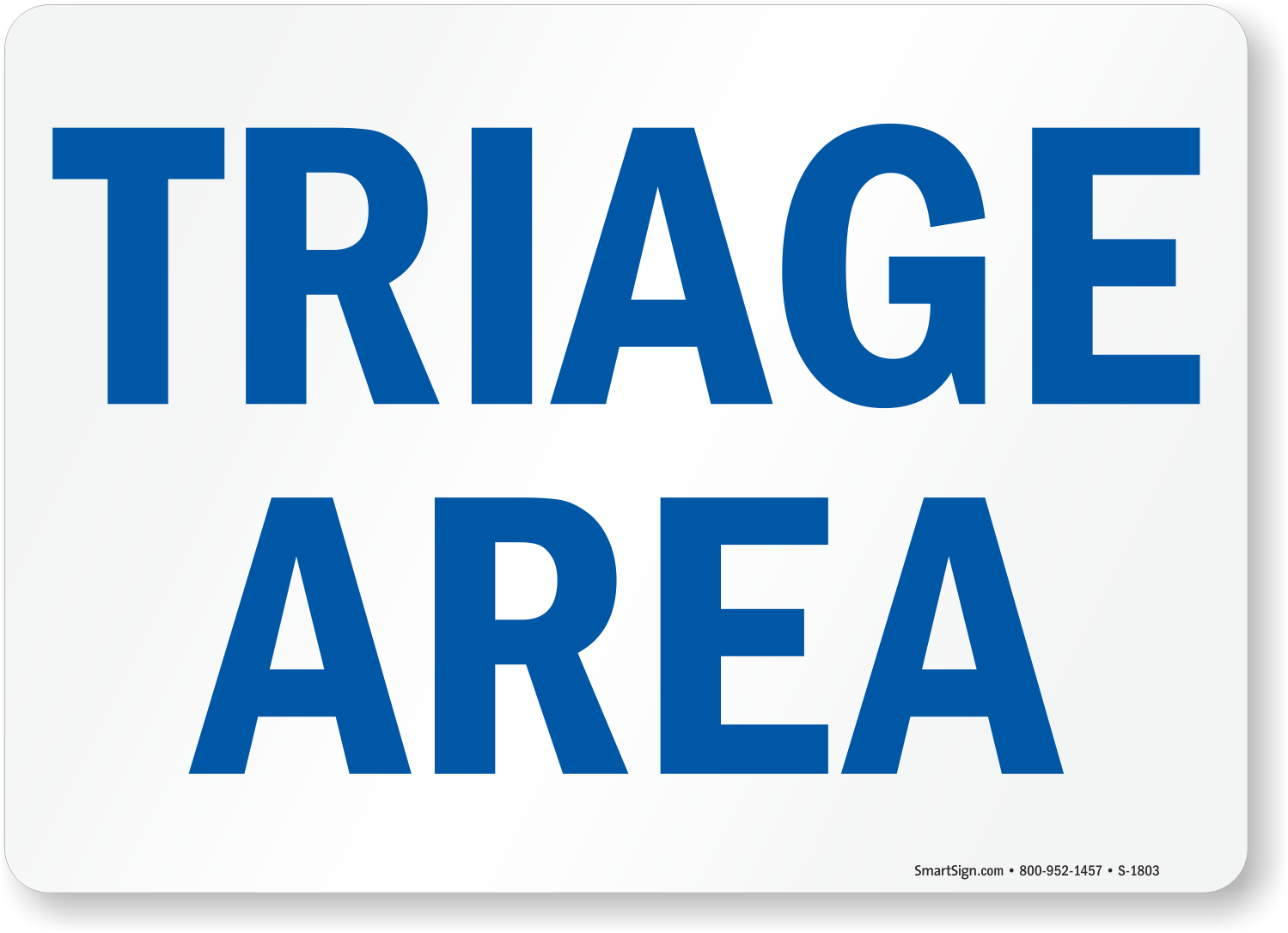
Image result for triage area

Triage - The assignment of degrees of urgency to wounds or illnesses to decide the order of treatment of a large number of patients or casualties.

Trauma - a deeply distressing or disturbing experience.  

Medical professionals have the incredible task of assigning the different triage roles in a traumatic situation. Sometimes in our own personal traumas, we forget to assess where we rank in the triage area. Are we in minor distress, delayed, immediate, or deceased. Sometimes we not only have physical trauma, but emotional trauma as well. I find myself in a different level of triage based on the trauma of Hurricane Harvey. 

I found myself saying many of the following things and discounting the trauma that took place. 

  • We survived the hurricane. 
  • We didn't lose our entire home. 
  • We only lost one car. 
  • We only had to cut the sheet rock out 22 1/2 inches. 
  • We only lost what was in the garage. 
  • We didn't lose everything. 
  • Thankfully, we had insurance. 
There were many waves of emotions that took place as I watched my Sunday school class help cut out carpet, sheet rock, and throw our belongings to the curb. It was traumatic. We evacuated for the hurricane not really expecting to come home to a sense of devastation. I know that people had it worse than we did, but I can't discount the feelings that came from this trauma. I find that in crisis we put up barriers to secure our emotions for survival. We try to protect the vulnerability that we already are experiencing. The exposure as people go through your belongings, make assessments of their worth, and toss them on the debris pile. I cried that day. I cried off and on for a few days afterwards. Then I tried to seal up the tears and hold it together. When people asked how I was doing, I replied with simple phrases not willing myself to divulge any more than I had to. I didn't want to be exposed any more than I had to. I even began to close my emotions off to friends, family, and my spouse. I didn't want to have to feel that exposed again. My triage state went from minor to immediate over the course of a few months. I didn't want to deal with the emotions that I was feeling. I didn't want own them, dig them up, discuss them, allow them to be real. Life doesn't work like that. 

Now I find myself in a more immediate triage state. I didn't assess myself properly during the trauma and now the emotional cup is spilling over. I not longer can hold back the tears, the raw emotions, etc... Whether I wanted to deal with them or not, I now have to. 


Wednesday, December 20, 2017

OneNote - The Beginning

Image result for microsoft onenote

This month I tried using Microsoft OneNote in my classroom. I've been eager to try it for over a year, but finally jumped in and did it. I was originally going to try it out with a small group of students. Another student overheard and asked to try it too. I took that as a sign to go ahead and launch it with the group.

My regular double block students LOVE using OneNote. It took a bit for them to become comfortable with using it. We still have some kinks to work out, but overall I can see the value in this particular program.

When we return from Winter break, I plan to try to utilize OneNote on a more regular basis. I'm thankful my kids are willing to "try" new technology related things with me. They seem eager to try and are always more than willing to share their opinions with me. Here's a sample of one of my student's bellringer journals. They beg me to continue to do the bellringers on the computer. The sad part is that they are slow typers, but they welcome the practice.


We tried another activity digitally instead of on paper. My students were working on combining sentences using a comma and a conjunction. Instead of running it all off on paper and having the students complete it one paper, they were able to manipulate the sentences using OneNote. 


Things I like about using OneNote:
  • Automatically saves changes.
  • I only create one master and push it out to the student's notebooks.
  • They are learning how to use technology.
  • They look forward to using it.
  • I like being able to have all of the information in one location for the students. 
  • I save time on making copies! 
I look forward to learning how to incorporate this into my classroom on a more frequent basis. 


** The sentence activity is by Jessica Osborne and can be found here on teachers pay teachers.
** The bellringer activity is by The SuperHERO Teacher and can be found here on teachers pay teachers.

Dialogue Journals - Launching

On the day that I launched dialogue journals with my students it was different than I imagined. I've selected once class to do this with. They were given about 25 minutes to read, write, and respond to me. This was the quietest my classroom has ever been. They were working so hard and actually writing without complaining. I am quite eager to see how they respond to this. It's interesting to see what they come up with and how they choose to respond to my short letter. My hope for the dialogue journals is that it will grow my students as writers. Some of my kids went ahead and personalized their journals.

Something I've noticed about the dialogue journals is that many of the kids really enjoy them. They begin to tell you things that you wouldn't normally get to know about them. One kid shared that he didn't really know how to use commas, but tried to use one in a sentence.

"My other ELA teacher's never taught me how to use comma's so I tried to use one last sentence." 

I was able to pinpoint when he used commas well and show him how to use them in his writing. It was nice because the journals opened the door for that dialogue with my student. Also, he was able to say that he tried something in a place that was not threatening.

My students beg me to write in their dialogue journals. It's been a bit rocky trying to find a routine for answering them. We've sort of worked out a system. The students know when their journals are in the basket, that it is filled out and waiting on them. When they've responded, they return their journals to my answering bag. I try to answer a few at a time instead of trying to answer them all at once. That was kind of a mistake when I tried to do that. I couldn't keep up and they begged me to fill them out. My instructional coach and I worked through a process to keep the momentum going. So far it seems to be working well.

Tuesday, September 26, 2017

Dialogue Journals the beginning

My instructional coach and I were talking last week about trying out dialogue journals with one of my classes. I think she knows I'm one of those people who will try something out, even if it doesn't work. Which is ironic because I don't consider myself much of a risk taker. So we talked about the basics of the dialogue journal. She emailed me the link and I had the opportunity to read more in depth about them. If you are interested in reading it, here's the link.

After reading through this, I desired to connect with my students. Right now I feel so out of sorts with my classes. The interruption of the hurricane has had a drastic impact on my ability to feel like I'm connecting with my students. My coach suggested that I start with a small class, but I decided to start with my chatty double block class. That class is super chatty and I initially thought they would be my tough bunch. I'll be honest, I can tell that they are my most interactive class. They are my largest class, but I think they will be my group to get into the journals.

As of now, I'm setting out to locate some notebooks for the kids. They've already provided their school supplies, so I don't feel as though I can ask for more. I need to create my questionnaire to get to know my kids and have something to write about. I'm excited to have the opportunity to connect with them this way. I hope this will be a way to encourage them to become more confident writers.

Image result for confident writers